Have a question?
Everything you need to know about managing your team and account.
Getting started & account management
How do I access my management dashboard?
+
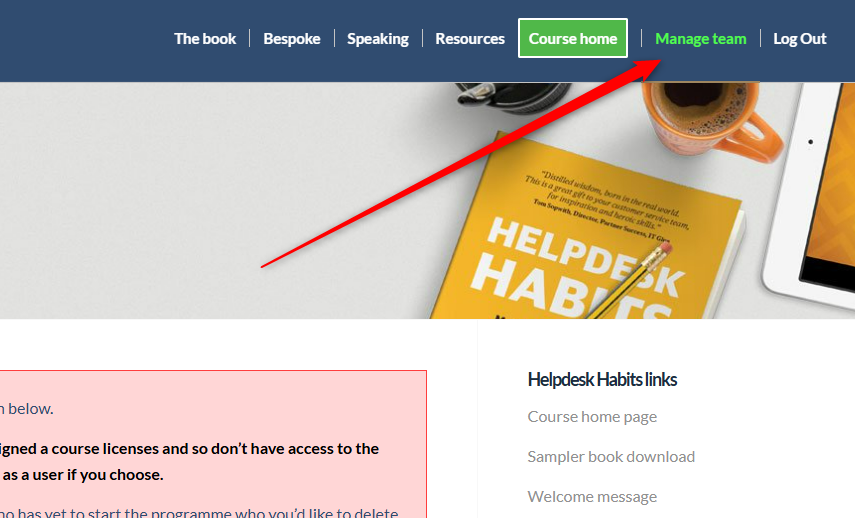
The management dashboard is available to team leaders only - individual members won't see it. Once logged in, look for the "Manage team" link in the top navigation bar. See the screenshot below for exactly where to find it.
How do I buy additional seat licenses?
+
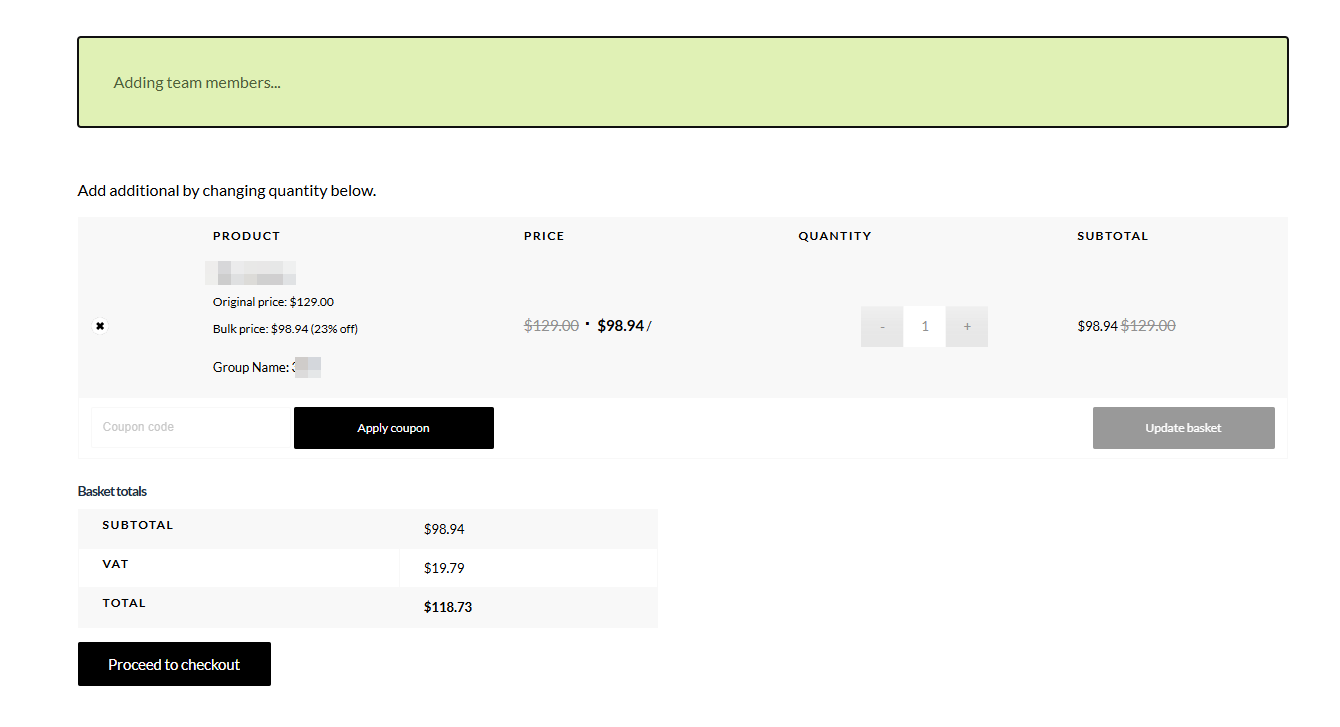
Log in and go to your management dashboard. You'll see your current seat allocation along with an "Add seats" button. Click it and you'll be taken to the basket screen where you can select how many additional seats you need and proceed to checkout with your card details. Bulk pricing is applied automatically - the more seats you hold in total, the lower the per-seat price. See the screenshot below.
Does the volume discount apply if I buy seats in small batches rather than all at once?
+
Yes - the discount is cumulative. Your total seat count across all purchases is what determines your pricing tier, so you'll always get the best available rate based on your overall number of seats.
How do I assign licenses to my team members?
+
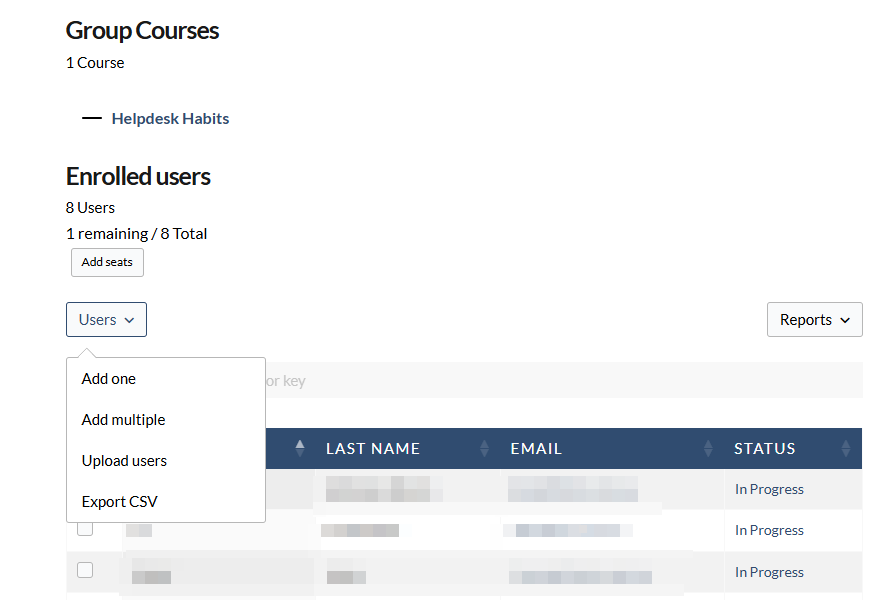
In your management dashboard, click the "Users" dropdown. From there you can add members one at a time, add multiple at once, or upload a CSV file if you're adding a larger group. See the screenshot below.
Can I remove a team member and reassign their license to someone else?
+
Yes - if someone leaves your team before they've moved beyond the first few trial modules, let us know and we'll remove them from your dashboard so you can reassign their license to a new team member.
How do I delete a user from my account?
+
Drop us a line via the
contact page and we'll take care of it. Please note that if a user has completed more than a few modules, their license unfortunately can't be reassigned - but we'll always try to be fair.
Can I assign more than one team leader?
+
Yes. Just drop us a line via the
contact page and we'll sort it for you.
Can I track my team's progress through the program?
+
Yes - your management dashboard shows each team member's progress through the modules and whether they've completed their certification. It's a useful reference point for 1:1s and team meetings.
Billing & licensing
Is this a subscription?
+
No - each license is a one-off payment. It's valid for a minimum of 12 months, after which we'll give you the option to renew at a 50% discount. You'll never be billed automatically.
How long does a seat license last?
+
Each license is valid for 12 months from the date of purchase. You'll have the option to renew at a 50% discount when the time comes.
If I buy licenses over the course of a year, how does the 12-month period work?
+
Every time you purchase a new license, the 12-month access period for the whole team resets. So you're never penalised for growing your team gradually.
Technical issues
A team member is stuck on a quiz and can't move forward to the next lesson - what should they do?
+
We know, we know - you're a technician and the last thing you want to hear is "clear your cache." But it really does fix this every single time. Ask them to clear their browser cache and reload the page, or switch to a different browser entirely. We're sorry. It works. 🙏
The videos aren't playing - what should I check?
+
First check the internet connection is stable - the videos are HD so a weak connection can cause problems. If that's fine, try a different browser or disable any ad blockers or privacy extensions, which occasionally interfere with video playback.
Certification
How do I add my Helpdesk Habits certification to LinkedIn?
+
A team member didn't pass the certification exam - can they retake it?
+
Yes - they can retake the exam. We'd suggest going back through any modules they felt less confident on before retrying.
Can I download my certificate?
+
Yes - once you pass the certification exam with 80% or above, your personalised certificate is available to download immediately from within your account.